
Dual Monitor Arms & Stands in India — Two Screens, One Desk Fixing
Dual monitor arms from LUMI, supplied and installed by Vantage Systems. Two screens from a single clamp or grommet, each independently adjustable for height, tilt and rotation — with GST invoice, 3-year LUMI India warranty and bulk pricing for office fit-outs.
Two screens, one clamp, and the desk back
Dual screens are now the default on most Indian office desks — development, finance, support, design, reporting. What has not kept up is how they are mounted: two factory pedestals eating the back half of the desk, two screens at slightly different heights, and a cable run behind them nobody wants to touch.
A dual monitor arm fixes all three at once. One clamp at the desk edge (or one grommet post) carries both screens on independently adjustable arms. You level the top edges, set them to eye height, angle them in slightly, and get the desk surface back. On a shared or hot-desked workstation it matters even more — the next person can set their own height in a few seconds.
People search for this product as a dual monitor arm, a dual monitor stand and a dual monitor mount. They are the same thing, and everything on this page is desk-mounted rather than freestanding.
- Both screens on one desk fixing — clamp or grommet
- Independent height, tilt, swivel and ±180° rotation per screen
- Level the top edges even with two different screen sizes
- Cable routing through the arms and post
- Gas-spring and spring-assisted options
- Bulk pricing and installation for dual-screen office fit-outs
Choosing a dual arm
Fitting out dual-screen desks?
Dual-screen floors are the most common rollout we do. Tell us the desk count and the monitor model and we will come back with bulk pricing, one standard spec and an installation plan.
Dual monitor arms we stock
Every model live on our store, with full specifications. Price on request — GST invoice, 3-year LUMI warranty, pan-India delivery.
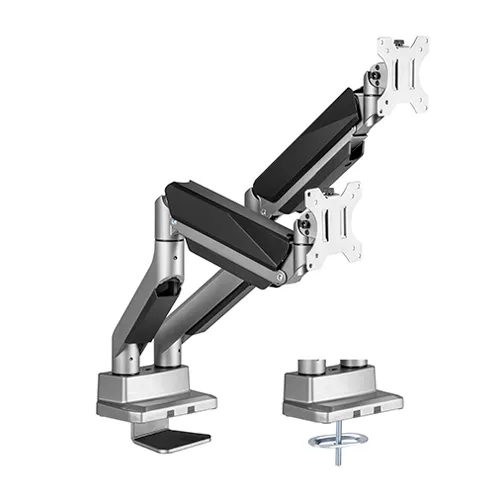
Heavy-Duty Dual Gas-Spring Arm
The premium dual arm. Two screens up to 35 inches, each on an independent gas-spring arm that moves at a fingertip and holds position. The one to choose for heavy screens or sit-stand desks.
- Two 17″–35″ monitors from one fixing
- Holds 1–15 kg per screen
- VESA 75×75 & 100×100 mm
- Independent gas-spring tilt ±45°
- Rotation ±180° · extends to 460 mm
- Clamp or grommet
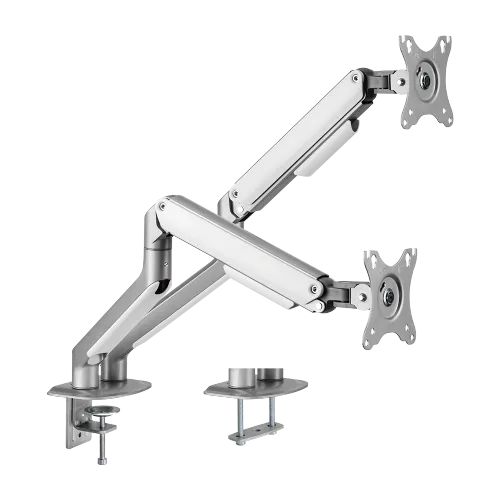
Dual Spring-Assisted Arm
The value dual arm for standard 17–32-inch office screens on a crossbar mount. Sturdy and economical — our usual recommendation for large dual-screen desk counts.
- Two 17″–32″ monitors
- Holds 2–9 kg per screen
- VESA 75×75 / 100×100 mm
- Spring-assisted · dual crossbar mount
- Rotation ±180° · extends to 453 mm
- Clamp or grommet
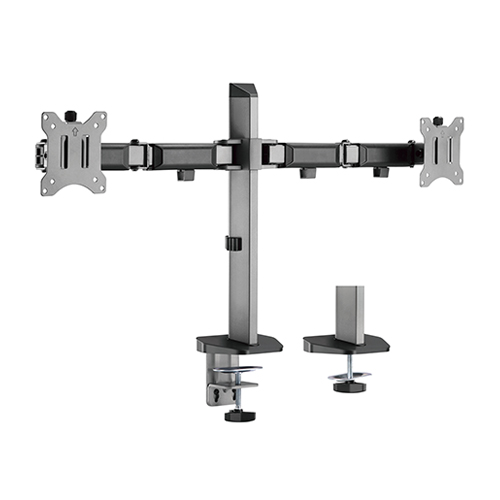
Deluxe Dual Articulating Arm
The dual version of the LDT55: two screens, each with ±70° tilt, 380 mm reach and a quick-release VESA plate. Curved monitors supported. In stock.
- Two 17″–32″ monitors
- Holds up to 9 kg per screen
- VESA 75×75 / 100×100 mm
- Tilt ±70° · swivel ±90°
- Rotate ±180° · 380 mm reach
- Clamp or grommet
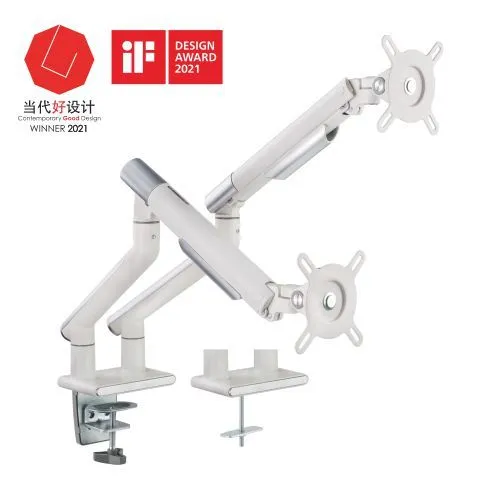
Premium Slim Aluminium Dual Arm
Slim aluminium construction on a mechanical spring, for executive desks and front-of-house workstations where the desk is on show.
- Two 17″–32″ monitors
- Holds 2–9 kg per screen
- VESA 75×75 / 100×100 mm
- Mechanical spring · slim aluminium
- Clamp or grommet
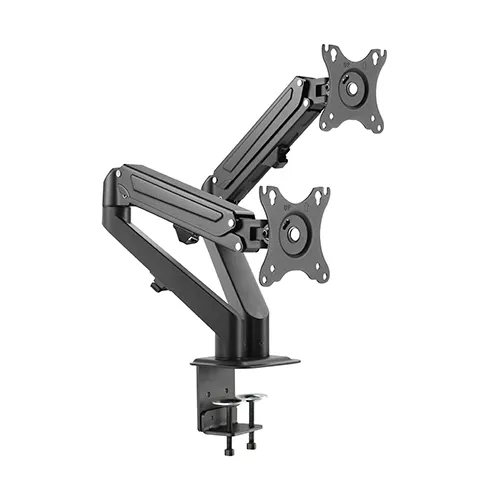
Economical Dual Gas-Spring Arm
True gas-spring movement at the economy end of the range. Sized for 17–27-inch screens on a desk clamp — the fingertip feel without the heavy-duty rating.
- Two 17″–27″ monitors
- Holds 2–6.5 kg per screen
- VESA 75×75 / 100×100 mm
- Gas spring — fingertip counterbalance
- Desk-clamp fixing
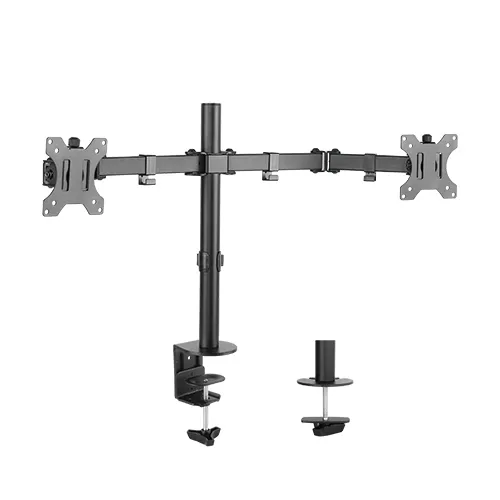
Economy Dual Articulating Stand
The entry dual arm — articulating joints with the height set on the pole, built to a price for high desk counts.
- Two 13″–32″ monitors
- Holds up to 8 kg per screen
- VESA 75×75 / 100×100 mm
- Articulating joints — height set on the pole
- Clamp or grommet
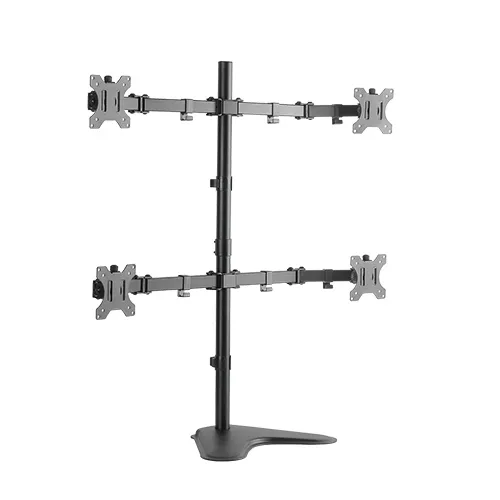
Economy Quad Articulating Stand
Four screens on one freestanding base — no desk clamp needed, so it suits monitoring positions and trading desks where the desk edge is not available.
- Four 13″–32″ monitors
- Holds up to 8 kg per screen
- VESA 75×75 / 100×100 mm
- Articulating friction joints
- Freestanding — no desk clamp needed
Getting a dual-screen desk right
Level the top edges, not the centres
With two different screen sizes, matching the top edges is what stops the eye travelling up and down between them. It is the single most-missed adjustment on a dual desk.
Top of the screen at or just below eye level
Sitting upright, your eyes should land on the top third of the panel. Arms make this per-person rather than per-desk, which is the whole point of buying one.
Angle the screens in slightly
A shallow inward angle on each screen keeps the viewing distance even across both panels instead of the outer edges falling away.
Rotate one to portrait if the work suits it
Code, documents, chat, log monitoring and long reports all read better in portrait. Both LUMI dual arms rotate ±180°.
Route the cables through the arm
Display and power cables clip into the arm and run down the post. On a floor of dual desks this is the difference between finished and assembled.
Check desk depth before going portrait
A 27-inch screen turned portrait is tall — on a shallow desk it can end up too close. Worth checking with a sample before a rollout.
Dual monitor arms — FAQs
In practice, nothing — they are three words for the same product, and Indian buyers search all three. A freestanding base is sometimes called a stand and a desk-clamped arm a mount, but every model on this page clamps to the desk or fits a grommet hole and holds two screens on adjustable arms.
Yes, as long as both screens are inside the arm’s size and weight range and both have a VESA pattern. Each arm adjusts independently, so a 24-inch and a 27-inch can be levelled to the same top edge — which is what you actually want, rather than matching the centres.
Two factory pedestals take up most of the back half of a standard desk. A dual arm replaces both with one clamp at the desk edge, so the desk surface under and between the screens is usable again — usually enough for a keyboard, notebook and documents at once.
Gas spring if the screens are heavy, the desk is sit-stand, or people reposition their screens through the day. Spring-assisted if the desks are fixed and you are buying in quantity — it is sturdy and more economical, with a firmer feel. For a floor of standard 24-inch office screens, spring-assisted is usually the right call.
Yes. Every dual arm in the LUMI range rotates ±180°, so either screen can be turned to portrait — common on development, code-review, reporting and trading desks. Check the desk depth: a portrait 27-inch sits taller than most people expect.
Yes — dual-screen desks are the most common configuration we fit out. Bulk pricing starts at 10 desks, with a site survey, one standard part number and installation by our own team. GST invoice and LUMI India warranty.
The LUMI LDT12-T048N is a quad arm — four screens from a single desk fixing. For three screens we normally supply a dual arm plus a single arm on the same desk, which is more flexible than a fixed triple crossbar.
Get a dual monitor arm quote
Tell us the monitor model and how many desks. We will confirm the right arm and send a price with a GST invoice — bulk pricing and installation for office fit-outs.